
Google AI Overviews: What Malaysian Business Owners Need to Know
Search “best laksa in PJ” or “how to choose a renovation contractor” on Google and you’ll often see an AI-written answer above the usual links. Here’s what that box is, how Google decides which websites to show in it, and what Malaysian business owners can do about it.
If you’ve noticed fewer clicks from Google even though your rankings look fine, AI Overviews may be part of the story. They change where people’s attention goes on the results page, but they also open a new spot for smaller businesses to be seen: as one of the sources Google links to. This guide explains how it works in plain English, and where AI search optimisation fits in.
What are Google AI Overviews?
AI Overviews are short, AI-generated summaries that appear at the top of some Google search results. They pull together an answer from several web pages and show links to those pages alongside the summary, so people can read more.
Google says AI Overviews are designed to show up when they add something beyond the normal results, such as a complicated question or a comparison, and that they often don’t appear at all. A simple search for your business name will usually show normal results. A question like “what should I check before hiring a wedding photographer” is more likely to get an overview.
Google also has AI Mode, a separate, chat-style search for longer back-and-forth questions. It works on similar foundations, so the steps below help with both.
Are AI Overviews available in Malaysia?
Yes. Malaysia is on Google’s list of countries where AI Overviews are available, and Google added Malay as a supported language in May 2025, alongside Chinese and others. That matters here: your customers may search in English, Bahasa Malaysia or Chinese, and an overview can appear in any of them.
How Google chooses which websites to show
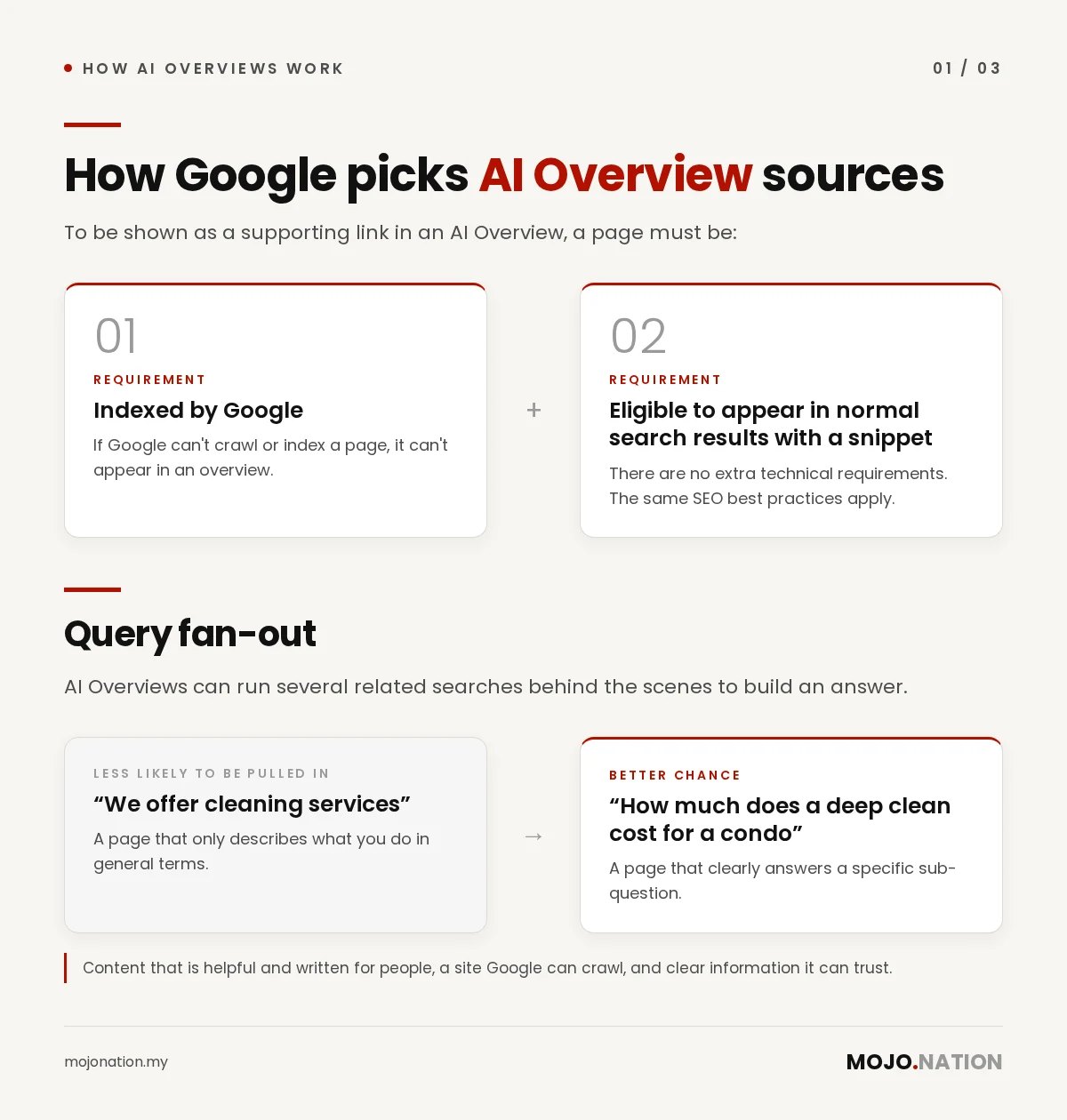
Google’s own guidance for site owners is refreshingly simple. To be shown as a supporting link in an AI Overview, a page must be:
- Indexed by Google, and
- Eligible to appear in normal search results with a snippet.
There are no extra technical requirements. Google says the same SEO best practices apply: content that is helpful and written for people, a site Google can crawl, and clear information it can trust.
Google also explains that AI Overviews can run several related searches behind the scenes (it calls this “query fan-out”) to build an answer. In practice, that means a page that clearly answers a specific sub-question, such as “how much does a deep clean cost for a condo”, has a better chance of being pulled in than a page that only says “we offer cleaning services”.
What this means for your traffic
Two things can be true at once:
- Some people get their answer without clicking. For simple informational questions, an overview can satisfy the search.
- Being one of the cited sources puts your name in the answer. Google says clicks from results pages with AI Overviews tend to be higher quality, meaning people spend more time on the site they land on.
So the goal shifts a little. It’s no longer only “rank in the top three”. It’s also “be the page Google trusts enough to quote”. That’s the same idea behind AI search visibility more broadly.
Six steps to become a source AI Overviews can use
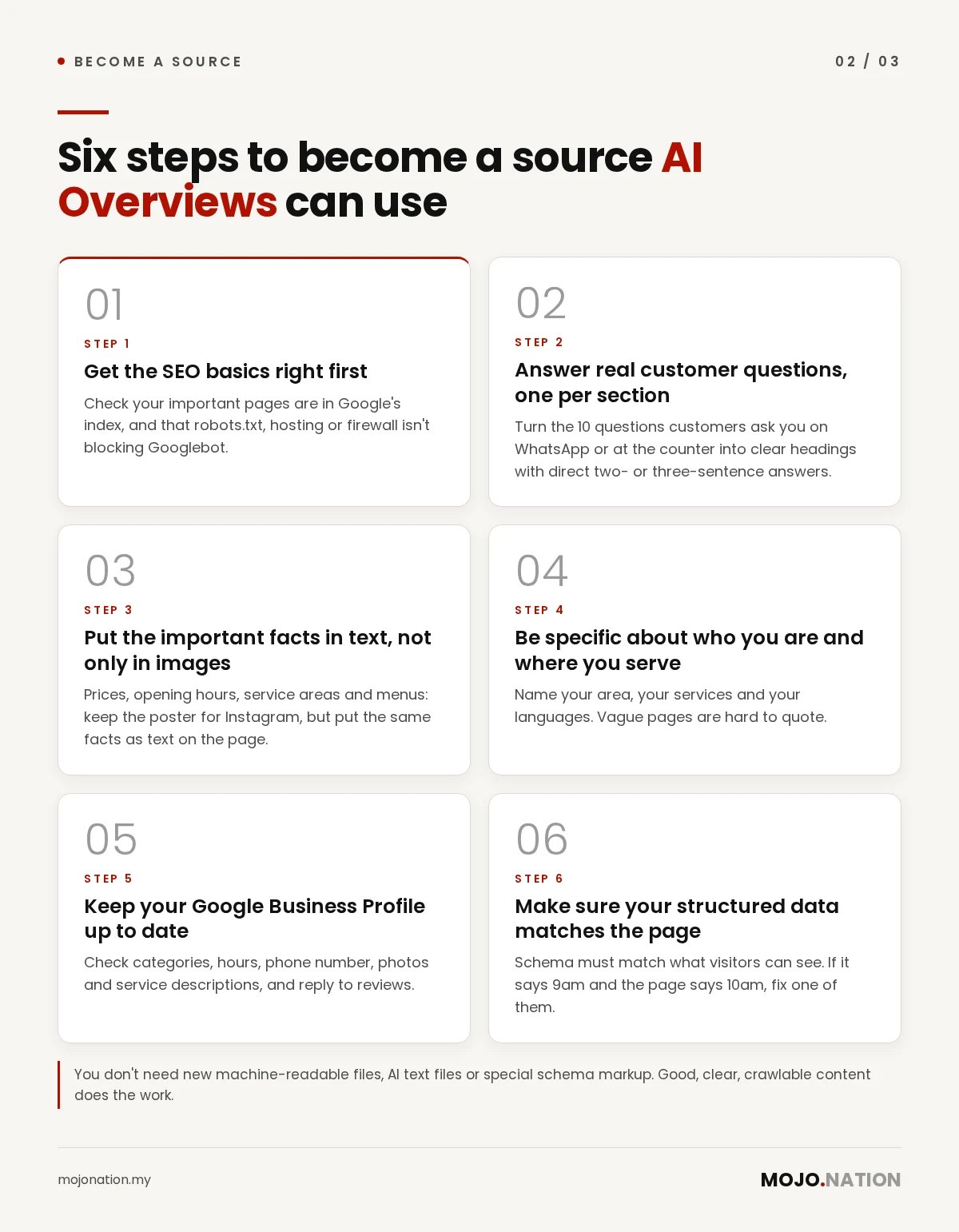
1. Get the SEO basics right first
If Google can’t crawl or index a page, it can’t appear in an overview. Check that your important pages are in Google’s index, that robots.txt isn’t blocking Googlebot, and that your hosting or firewall isn’t blocking it either. If you’re unsure where to start, our SEO basics page outlines what we check.
2. Answer real customer questions, one per section
Write down the 10 questions customers ask you on WhatsApp or at the counter. Turn each into a clear heading with a direct two- or three-sentence answer underneath, then add detail. “Do you deliver to Shah Alam?”, “How long does installation take?” and “Is this halal-certified?” are exactly the kinds of sub-questions AI Overviews look for.
3. Put the important facts in text, not only in images
Prices, opening hours, service areas and menus often live inside a poster or a PDF. Google recommends making important content available in text. Keep the poster for Instagram, but put the same facts as text on the page.
4. Be specific about who you are and where you serve
Name your area (for example, “a dental clinic in Bangsar serving KL and PJ”), your services and your languages. Vague pages are hard to quote. Specific ones answer the question.
5. Keep your Google Business Profile up to date
Google lists an up-to-date Business Profile among the basics for its AI features. Check your categories, hours, phone number, photos and service descriptions, and reply to reviews. Our Google Business Profile checklist walks through each field.
6. Make sure your structured data matches the page
Structured data (schema) helps Google understand a page, but it must match what visitors can actually see. If your schema says you open at 9am and your page says 10am, fix one of them.
What you don’t need to do
You may see people selling “AI Overview optimisation” packages built on special files or tricks. Google is clear on this point: you don’t need new machine-readable files, AI text files or special schema markup to appear in AI Overviews. Good, clear, crawlable content does the work.
Other AI assistants work differently, though. If you also want ChatGPT and other AI assistants to recommend you, mentions of your business on other trusted websites matter a lot there.
How to check whether it’s working
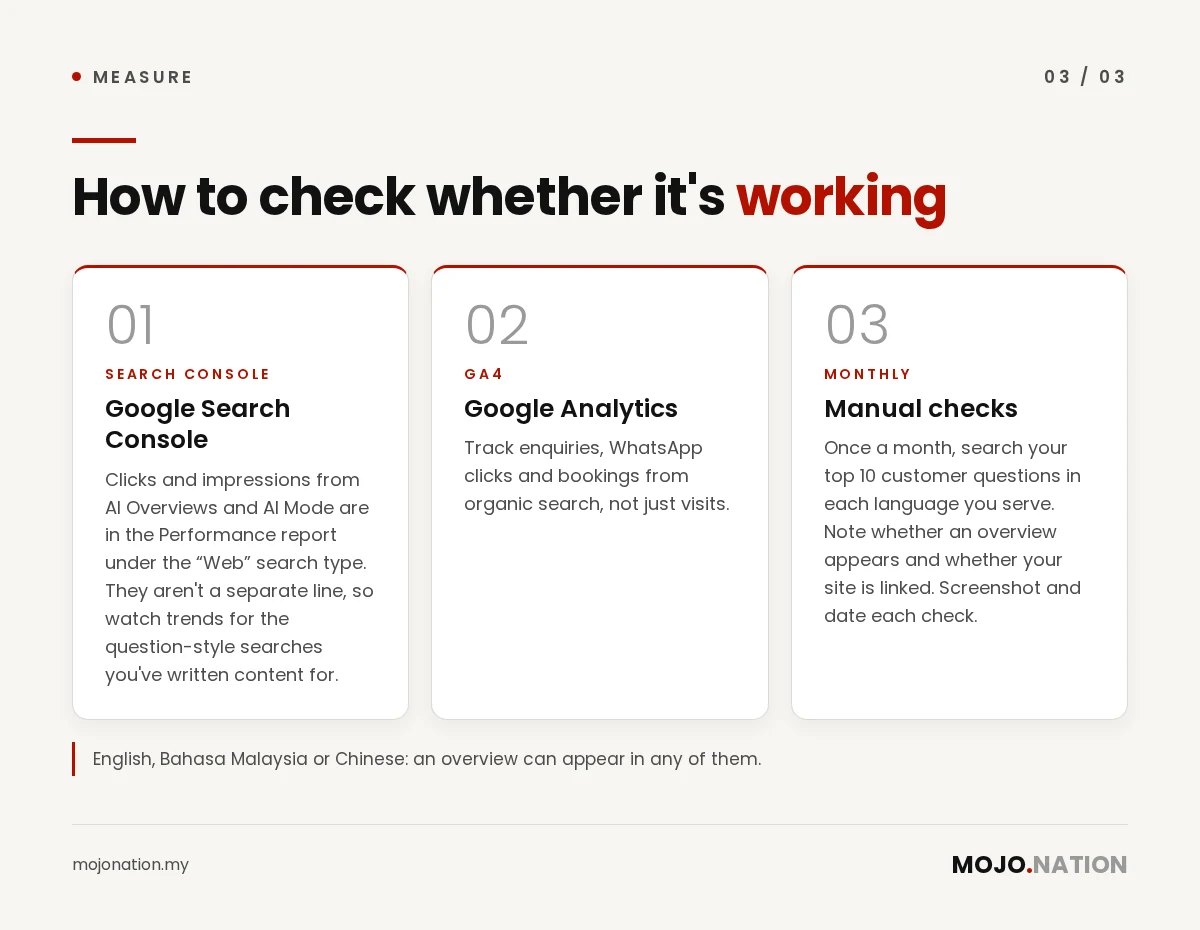
- Google Search Console: clicks and impressions from AI Overviews and AI Mode are included in the Performance report under the “Web” search type. They aren’t shown as a separate line, so look at trends for the question-style searches you’ve written content for.
- Google Analytics: track enquiries, WhatsApp clicks and bookings from organic search, not just visits.
- Manual checks: once a month, search your top 10 customer questions (in each language you serve) and note whether an overview appears and whether your site is linked. Screenshot and date each check.
FAQ
Do I need to pay Google to appear in AI Overviews?
No. The links in AI Overviews come from Google’s normal search index. Ads can appear near them, but you can’t pay to be a cited source.
Do AI Overviews appear for searches in Bahasa Malaysia?
Yes. Google added Malay as a supported AI Overviews language in May 2025, so writing helpful pages in BM can help you show up for BM searches.
Can I stop Google from using my content in AI Overviews?
You can limit what Google shows from your pages with snippet controls such as nosnippet or max-snippet, or remove a page with noindex. These also affect your normal search listings, so use them carefully.
Does an AI Overview mean I’ll lose all my Google traffic?
Not necessarily. Some simple questions get answered on the page, but being one of the linked sources can bring visitors who are further along in deciding. Track enquiries, not just clicks.
How long does it take to start appearing?
There’s no fixed timeline. Google has to crawl and index your updated pages first, which can take days to months, and it doesn’t guarantee that any page will appear.
Want to know where you stand?
We’ll check whether Google can crawl and index your key pages, how your Google Business Profile looks, and whether AI Overviews and other AI assistants mention you for the questions your customers ask. Get a free audit from our team in Petaling Jaya.
How Mojo Nation writes our guides: researched with AI tools, written and fact-checked by our team, and reviewed before publishing. Last updated: 4 November 2026.
Get a free audit
Free review of your social media, website and AI search visibility. No obligation.
More guides
11.11 and 12.12 content ideas for Malaysian SMEs
TikTok and Instagram ideas, creator collabs and live timing for cafes, salons and shops, without discounting everything.
Read →
How to work with micro-KOLs in Malaysia: a step-by-step guide for SMEs
Find, brief and work with smaller creators, get disclosure right, and measure what matters. Includes our trial and retainer prices.
Read →
How to get your business recommended by ChatGPT
Practical, honest steps to improve the chances AI assistants like ChatGPT recommend your business.
Read →
SEO vs KOL marketing: why you need both
SEO captures demand; KOLs create it. How combining the two gives Malaysian brands compounding growth.
Read →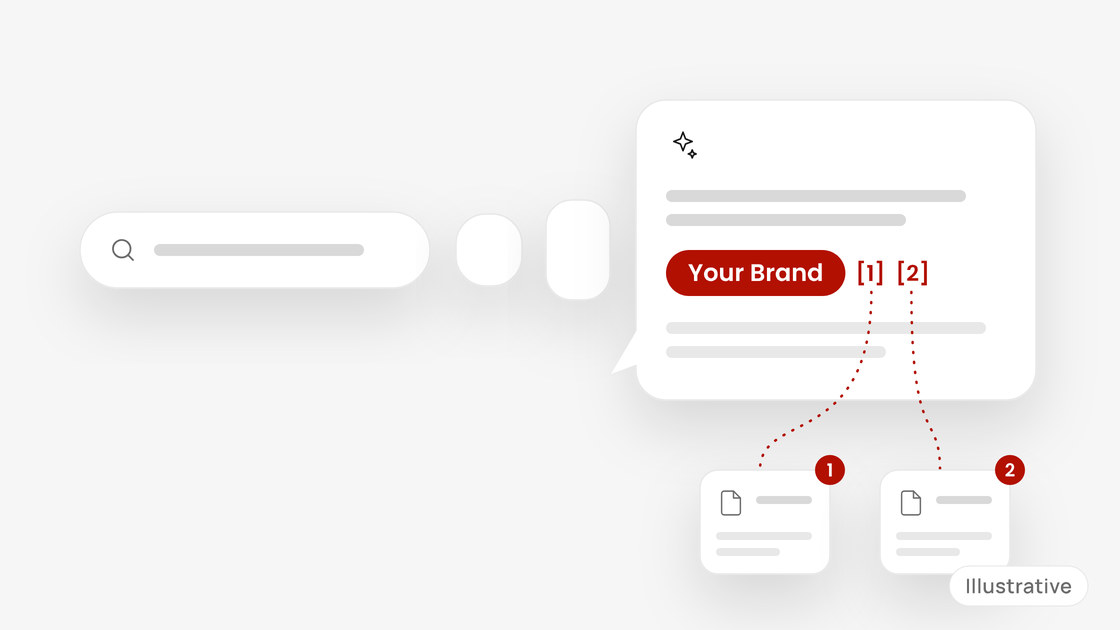
What is AI search visibility and why Malaysian SMEs should care
More customers ask ChatGPT, Gemini and Perplexity for recommendations. Here’s what AI search visibility means and how to start.
Read →