
Google Business Profile for Malaysian SMEs: A Complete Setup Checklist
When someone searches "cafe near me" or "aircond service Subang", the first thing they often see isn't a website. It's a map with three businesses on it. Here's how to set up your Google Business Profile properly so yours has a fair shot at being one of them.
For many Malaysian shops, clinics, salons and service businesses, the Google Business Profile is the most-seen piece of marketing they have. It's free, it shows up on Google Search and Google Maps, and it's often what people check before they call, WhatsApp or drive over. Yet plenty of profiles are half-finished, unverified or carrying the wrong opening hours.
This checklist walks you through setting one up from scratch (or fixing the one you have), using Google's own guidelines. It's the foundation of local search, and it matters for newer features too: Google lists an up-to-date Business Profile among the basics for its AI features, including Google AI Overviews.
What is a Google Business Profile (and who can have one)?
A Google Business Profile (you may still hear it called "Google My Business") is the free listing that shows your business name, location, hours, phone number, photos and reviews on Google Search and Maps.
Google allows a profile if your business either:
- has a physical location customers can visit, like a cafe in Penang or a clinic in Damansara, or
- travels to customers, like a plumber, mobile car wash or home-cleaning service. Google calls these "service-area businesses".
What doesn't qualify: a virtual office or rented mailing address you don't actually operate from, and a co-working desk unless it has clear signage and is staffed and open to customers during business hours. Online-only businesses with no location and no face-to-face service aren't eligible either.
Before you start: what you need
- A Google Account (a Gmail address or your work email linked to a Google Account). Use one the business controls, not a staff member's personal account.
- Your business name exactly as it appears on your signboard, receipts and website.
- Your full address, or the areas you serve.
- A phone number that reaches your business directly.
- Your website (if you have one) and your regular opening hours.
- 10 or more good, recent photos.
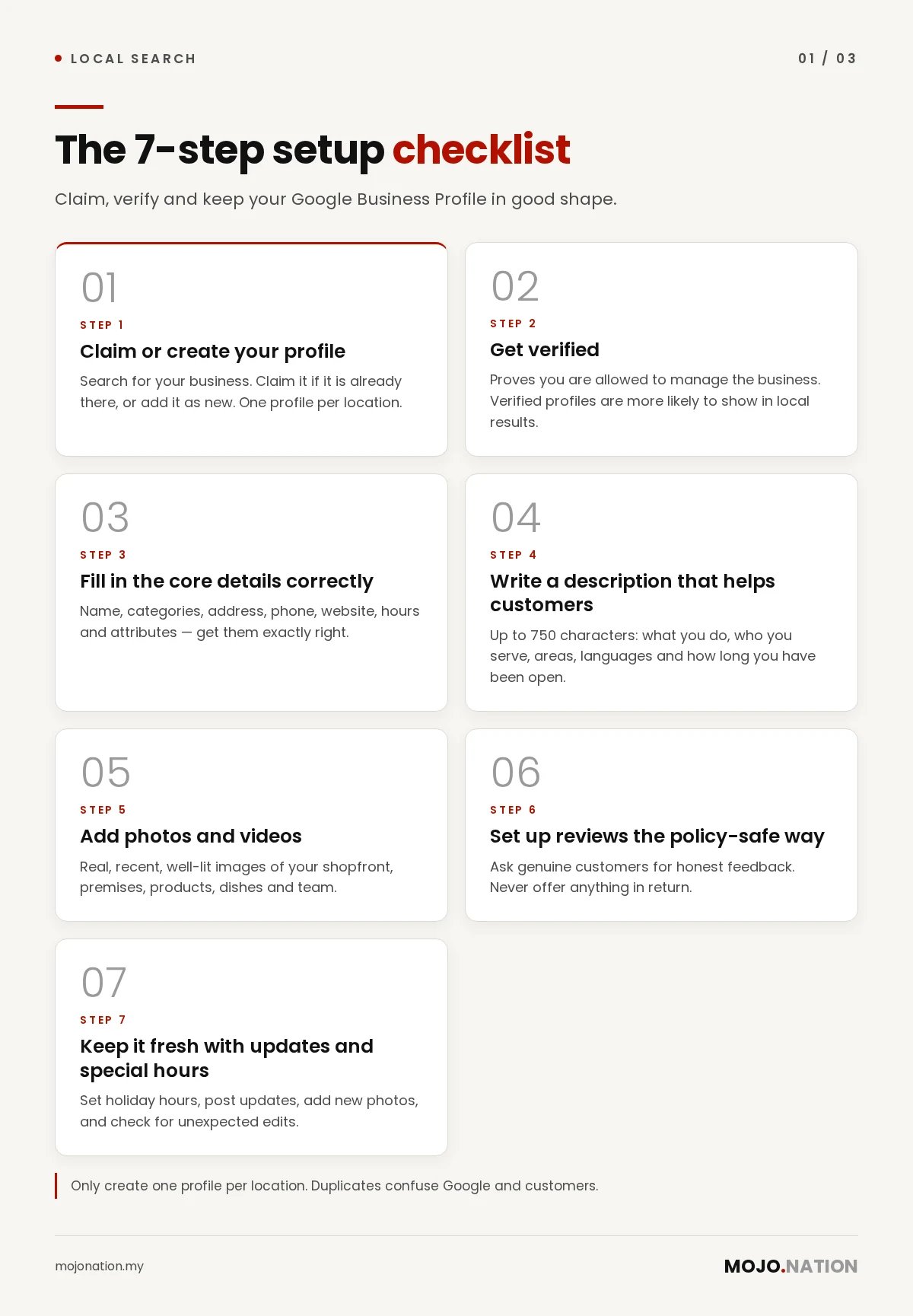
Step 1: Claim or create your profile
Search for your business name and town on Google. Your business may already appear because a customer added it or Google created it from public information.
- If it's there: claim it, so you can control what it says.
- If it's not: add it as a new business.
Only create one profile per location. Duplicates confuse Google and customers, and Google's guidelines say they can cause problems with how your business shows on Maps and Search.
Step 2: Get verified
Verification proves to Google that you're allowed to manage the business. You can't fully edit your profile or reply to customers until it's done, and Google says verified businesses are more likely to show in local results.
Google chooses which methods you're offered based on your business type, region and other details, and you can't pick a different one yourself. Depending on your business, you may see:
- Phone call or SMS with a code (your line must be able to answer; automated phone menus won't receive the code).
- Email.
- Video recording or live video call, where you show your signage, your premises or equipment, and something that proves you run the place, such as opening the shop with your keys. Google recommends video if it's offered to you.
- Postcard by mail. Most codes arrive within 14 days and expire after 30 days. Don't change your business name, address or category while you wait, or the code stops working.
After you complete the steps, Google says reviews can take up to 5 business days.
Tip: if you add your website to Google Search Console first, Google says verification can sometimes be instant.
Step 3: Fill in the core details correctly
These fields decide whether Google shows you for the right searches, so get them exactly right.
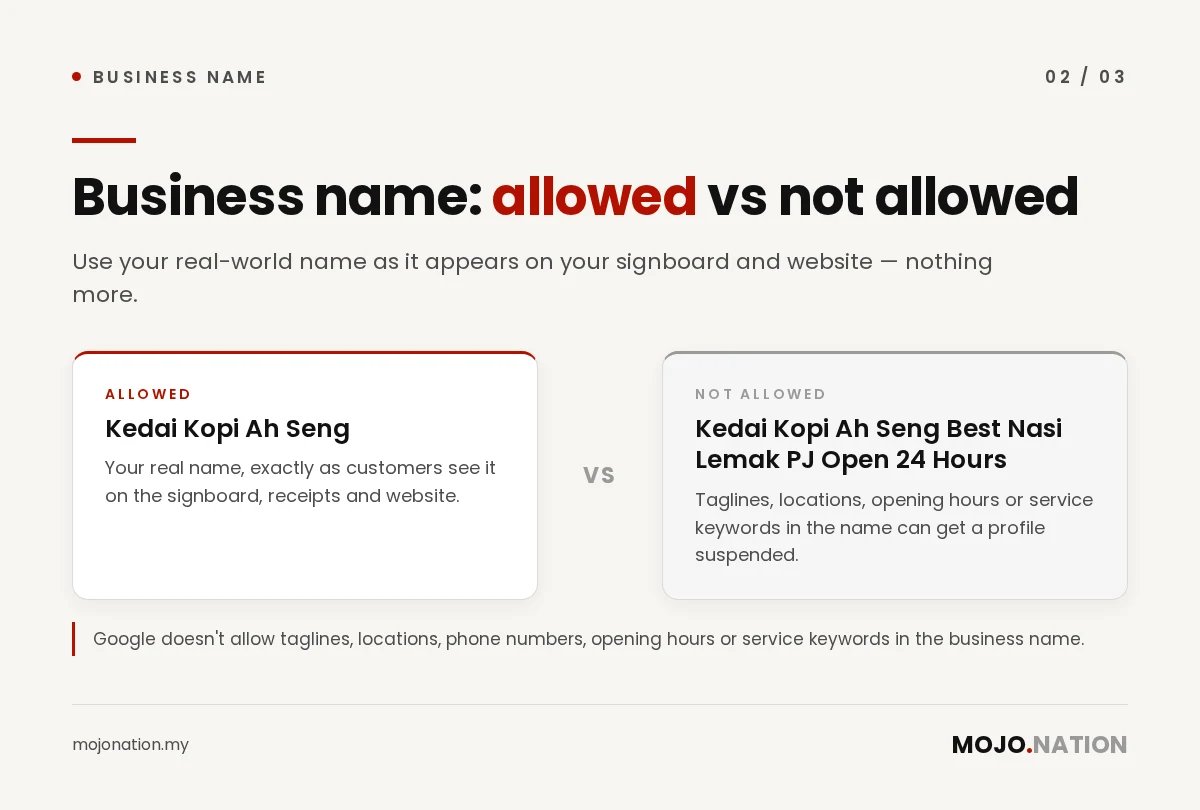
Business name. Use your real-world name as it appears on your signboard and website, nothing more. Google doesn't allow taglines, locations, phone numbers, opening hours or service keywords in the name. "Kedai Kopi Ah Seng" is fine; "Kedai Kopi Ah Seng Best Nasi Lemak PJ Open 24 Hours" can get your profile suspended.
Categories. Your primary category is the single most important choice. Google's rule of thumb: pick categories that complete the sentence "This business is a…", not "This business has a…". A clinic with a pharmacy counter is a "Medical clinic", not a "Pharmacy". Use as few categories as possible, and make them as specific as you can.
Address or service area. Shopfronts show their full address (add your unit or floor number on line 2). Service-area businesses should hide the address and list the areas they serve instead. A hybrid business, like a workshop that also does on-site repairs, can show both if the premises are staffed and open to customers during the stated hours.
Phone and website. Use a number that connects straight to your business. Link your own website, not a social media page or a tracking redirect. If you don't have a website yet, that's worth fixing: your website and profile work best together.
Hours. Enter your customer-facing hours. Restaurants should use dine-in hours. Businesses that work only by appointment usually shouldn't list hours at all, according to Google.
Attributes. Tick the factual ones that apply, such as wheelchair access, Wi-Fi, outdoor seating or payment options. Customers filter by these.
Step 4: Write a description that helps customers
You get up to 750 characters. Use them to say what you do, who you serve, which areas and languages you cover, and how long you've been in business.
What Google doesn't allow in the description: links of any kind, and promotions or prices ("All services 50% off!"). Skip keyword stuffing too; it reads badly and doesn't help.
A simple structure that works:
- What you are and where: "A family-run dental clinic in Bangsar…"
- What you offer: your three or four main services.
- Why customers choose you: languages spoken, parking, weekend hours, experience.
Google also offers an AI-suggested description in some regions. If you use it, check every fact before saving.
Step 5: Add photos and videos
Google lists photos and videos among the basic ways to improve your local presence. Aim for real, recent, well-lit images:
- Your shopfront and signboard (helps people find you)
- The inside of your premises
- Your products, dishes or finished work
- Your team at work
- A short video walkthrough if you have one
Skip stock photos and heavy text overlays. Put important details like prices and menus in text on your website too, not only inside images.
Step 6: Set up reviews the policy-safe way
Reviews are one of the factors Google names for local ranking: it says more reviews and positive ratings can help. They also shape how Google, and increasingly AI assistants, describe your business.
What Google allows: asking genuine customers to share their honest experience. A QR code at the counter, a link in your WhatsApp thank-you message or a line on your receipt all work.
What Google does not allow:
- Offering anything in return for a review: discounts, free items, lucky draws or payment
- Asking only happy customers to review (sometimes called "review gating")
- Discouraging negative reviews
- Pressuring customers to review while they're still at your premises, or asking for specific wording
- Reviews from staff, family or anyone with a conflict of interest
Reply to reviews, good and bad. A short, polite reply to a complaint, in the language the customer used, tells future customers you care.
Step 7: Keep it fresh with updates and special hours
A profile isn't set-and-forget. Google says businesses with complete and accurate information are more likely to show in local results.
- Special hours: set them ahead of public holidays such as Deepavali, Christmas, Chinese New Year and Hari Raya, and for any temporary closures. Wrong hours lead to annoyed customers and bad reviews.
- Updates and offers: use profile posts to share new products, events and promotions, especially around festive sale periods like 11.11 and 12.12.
- New photos: add a few every month.
- Check for edits: Google and the public can suggest changes to your profile. Log in regularly to make sure nothing has been changed without you knowing.
What about Q&A?
You may remember the "Questions & answers" section on Maps listings. Google has been changing it: it discontinued the Q&A API in November 2025, and in many places customers can now ask questions in Maps and get an AI-generated answer drawn from your profile, your answers and your reviews. Availability varies by country and business type, so if you still see Q&A in your profile, keep answering it.
Either way, the takeaway is the same: the more complete and accurate your profile, website and reviews are, the better Google (and tools like ChatGPT) can answer questions about you.
Common mistakes that get profiles suspended
- Adding keywords or locations to the business name
- Listing a virtual office or an address where you don't receive customers
- Creating more than one profile for the same location
- Using a call-centre or redirect number instead of your own
- Changing your name, address or category repeatedly, especially during verification
- Offering incentives for reviews
Your monthly 15-minute checklist
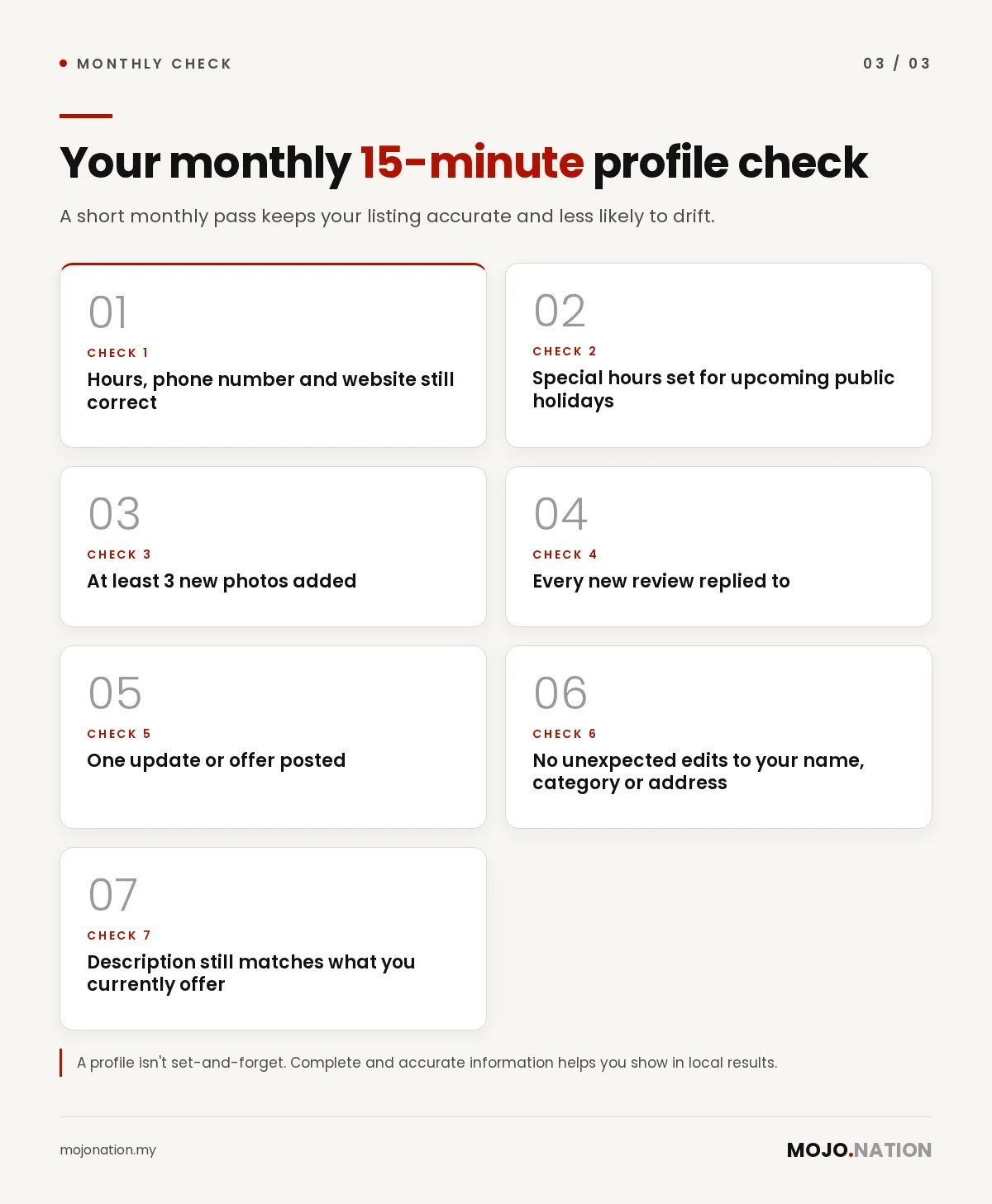
- Hours, phone number and website still correct
- Special hours set for upcoming public holidays
- At least 3 new photos added
- Every new review replied to
- One update or offer posted
- No unexpected edits to your name, category or address
- Description still matches what you currently offer
FAQ
Is Google Business Profile free in Malaysia?
Yes. Creating, verifying and managing a Business Profile is free. Google also says there's no way to request or pay for a better local ranking.
How long does Google Business Profile verification take?
After you finish the verification steps, Google says its review can take up to 5 business days. If you're verifying by postcard, the code itself usually arrives within 14 days.
Can I have a Google Business Profile without a shop?
Yes, if you travel to customers, such as a plumber or home-cleaning service. You list the areas you serve and hide your home address. Purely online businesses with no face-to-face service aren't eligible.
How many categories should I choose?
As few as accurately describe your core business. Your primary category matters most, so make it the most specific one that fits.
Can I write my description in Bahasa Malaysia or Chinese?
You can write it in the language that best serves your customers. Just keep your business name exactly as it appears in real life, and don't repeat the same name in several languages or scripts, which Google's guidelines don't allow.
Can I ask customers for Google reviews?
Yes, as long as you ask genuine customers for honest feedback, don't offer anything in return and don't ask only happy customers.
Want a second pair of eyes on your profile?
We'll check your Google Business Profile against Google's guidelines, alongside your website and how AI search describes your business, and tell you what to fix first. Get a free audit from our team in Petaling Jaya, or see our packages if you'd like us to manage it for you.
How Mojo Nation writes our guides: researched with AI tools, written and fact-checked by our team, and reviewed before publishing. Last updated: 9 November 2026.
Get a free audit
Free review of your social media, website and AI search visibility. No obligation.
More guides
Google AI Overviews: What Malaysian Business Owners Need to Know
What AI Overviews are, how Google picks the websites it shows, and six practical steps to become a source it cites.
Read →
11.11 and 12.12 content ideas for Malaysian SMEs
TikTok and Instagram ideas, creator collabs and live timing for cafes, salons and shops, without discounting everything.
Read →
How to work with micro-KOLs in Malaysia: a step-by-step guide for SMEs
Find, brief and work with smaller creators, get disclosure right, and measure what matters. Includes our trial and retainer prices.
Read →
How to get your business recommended by ChatGPT
Practical, honest steps to improve the chances AI assistants like ChatGPT recommend your business.
Read →
SEO vs KOL marketing: why you need both
SEO captures demand; KOLs create it. How combining the two gives Malaysian brands compounding growth.
Read →
What is AI search visibility and why Malaysian SMEs should care
More customers ask ChatGPT, Gemini and Perplexity for recommendations. Here’s what AI search visibility means and how to start.
Read →