
Local SEO for Malaysian Cafes and Restaurants: How to Show Up for "Near Me" Searches
When someone types "cafe near me" or "nasi lemak Bangsar" into Google, they usually see a map with a few places on it before any website. This guide shows Malaysian cafes, kopitiams and restaurants how to give themselves a fair chance of being one of those places, using Google's own rules.
Most people deciding where to eat don't scroll far. They search on their phone, glance at the map, check the photos, star rating and opening hours, and go. For a cafe or restaurant, that map is often more important than your homepage.
The good news: local SEO for F&B isn't mysterious. Google publishes what it looks at, and most of the work is getting the basics right and keeping them up to date. This guide walks through it step by step.
What "near me" search actually means for a restaurant
"Near me" covers a lot of searches, not just the ones with those words in them:
- Category + near me: "cafe near me", "restoran berdekatan", "dim sum near me".
- Dish + area: "nasi lemak Bangsar", "best croissant SS2", "char kuey teow Penang".
- Need + area: "halal brunch Ipoh", "pet-friendly cafe Mont Kiara", "private dining room KL".
- Your name: people who saw you on TikTok or heard about you from a friend and now want directions.
Google treats all of these as local searches. It tries to show places close to the person that match what they asked for. Your job is to make it easy for Google to understand what you serve, where you are and when you're open, and to show that real people like coming to you.
How Google decides which places to show
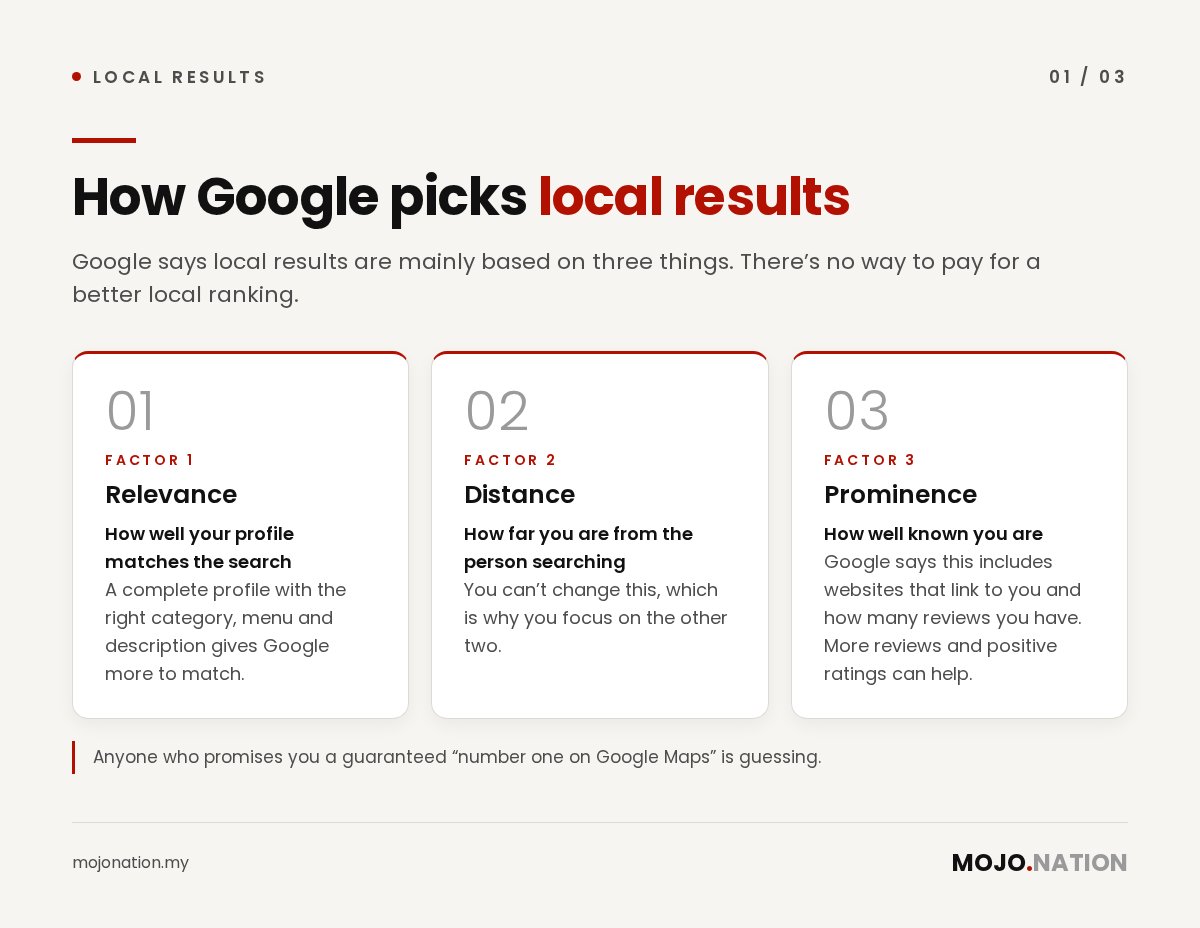
Google says local results are mainly based on three things:
- Relevance: how well your profile matches the search. A complete profile with the right category, menu and description gives Google more to match.
- Distance: how far you are from the person searching. You can't change this, which is why you focus on the other two.
- Prominence: how well known you are. Google says this includes things like how many websites link to you and how many reviews you have, and that more reviews and positive ratings can help.
Google is also clear that there's no way to pay for a better local ranking. Anyone who promises you a guaranteed "number one on Google Maps" is guessing.
Step 1: Get your Google Business Profile right
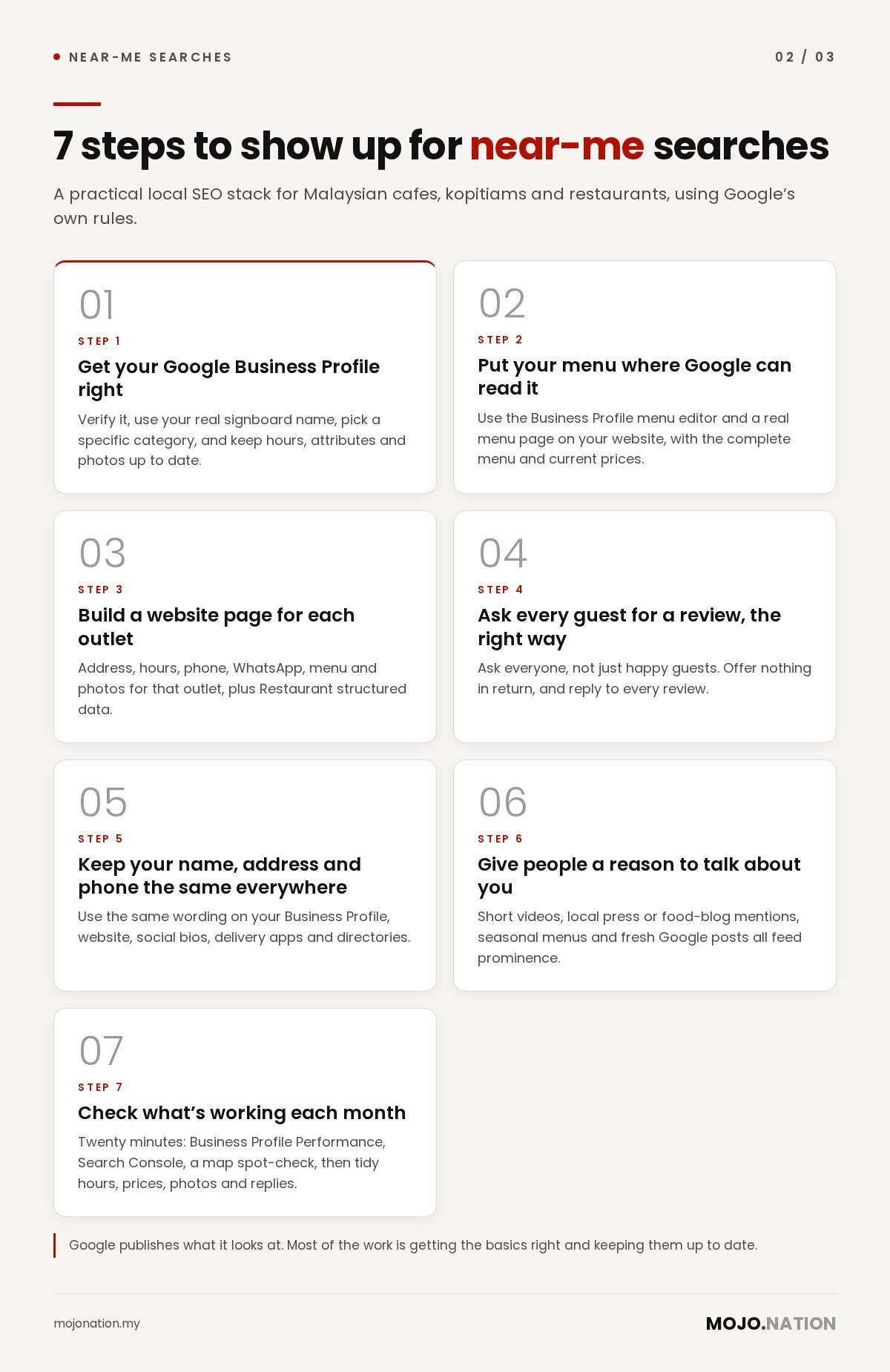
Your Google Business Profile is the listing that shows on Maps and Search. If you haven't set one up properly, start with our Google Business Profile checklist. For F&B, pay extra attention to these:
- Verify it. Google says verified businesses are more likely to show up in search results.
- Use your real name. Your name should match your signboard. Adding keywords ("Kopi Corner Best Coffee Bangsar") breaks Google's guidelines and can get the profile suspended.
- Pick the most specific category. "Malaysian restaurant", "Dim sum restaurant" or "Coffee shop" says more than "Restaurant". Use as few categories as you need.
- Keep hours accurate, including special hours. Public holidays, Ramadan hours and festive closures are when wrong hours cost you the most.
- Fill in the attributes. Dine-in, takeaway, delivery, outdoor seating, Wi-Fi, parking, wheelchair access: these are exactly what people filter for.
- Add real photos and videos, often. Food, drinks, the shopfront (so people can find you), the inside, and your team. Fresh photos also tell customers you're still open.
Step 2: Put your menu where Google (and hungry people) can read it
Food searches are often dish searches. If Google can't read your menu, it has less to match.
- Use the menu editor in your Business Profile. Google lets food and drink businesses add sections, items, descriptions and prices. Google says changes can take 24 to 48 hours to show.
- Add a menu link to a real page on your website, not just a photo of a printed menu. A web page loads quickly on a phone and is easy to update.
- List the full menu. Google's guidelines say a restaurant menu should list the complete set of food and drink items available, not a "best sellers" excerpt.
- Write dishes the way people search for them. "Nasi lemak ayam berempah" is more useful than "Signature Set A". Add a few words of description and the price.
- Keep prices current. An out-of-date price is a small thing that leads to annoyed reviews.
Step 3: Build a website page for each outlet
Your Business Profile does a lot of work, but your website backs it up. Every outlet should have its own page with:
- The outlet name, full address and a map.
- Opening hours (matching Google exactly).
- A clickable phone number and WhatsApp link.
- A link to the menu and to reservations or ordering.
- A short paragraph about the area and how to get there ("five minutes' walk from the LRT, parking at the back").
- A few photos taken at that outlet.
Ask your web developer to add Restaurant structured data (a type of LocalBusiness schema) to each outlet page. Google recommends using the most specific type and supports details like your menu URL, cuisine, opening hours and price range. A simplified example:
{
  "@context": "https://schema.org",
  "@type": "Restaurant",
  "name": "Your Cafe Name",
  "address": {
    "@type": "PostalAddress",
    "streetAddress": "Your street address",
    "addressLocality": "Your city",
    "addressRegion": "Selangor",
    "postalCode": "Your postcode",
    "addressCountry": "MY"
  },
  "telephone": "+60 your number",
  "servesCuisine": "Malaysian",
  "menu": "https://yourcafe.my/menu/",
  "priceRange": "RM10-30",
  "openingHoursSpecification": [{
    "@type": "OpeningHoursSpecification",
    "dayOfWeek": ["Monday","Tuesday","Wednesday","Thursday","Friday"],
    "opens": "08:00",
    "closes": "22:00"
  }]
}
Test it with Google's Rich Results Test before it goes live. Structured data doesn't guarantee anything special in search results, but it removes guesswork about who you are.
Step 4: Reviews: ask every guest, the right way
Google says more reviews and positive ratings can help local ranking, and replying to reviews shows you value feedback. Reviews also matter to the person deciding between you and the place next door.
How to get more, within Google's rules:
- Ask everyone, not just happy guests. Google doesn't allow businesses to selectively ask for positive reviews or discourage negative ones.
- Don't offer anything in return. No free drink, discount or lucky draw for a review. Google's policy bans incentives and removes reviews posted because of one.
- Don't pressure people on the spot or tell them what to write. A QR code on the receipt or table card with "Tell us how we did" is fine.
- Don't let staff or family review you. Google treats that as a conflict of interest.
- Reply to every review, good and bad. Thank people by name, keep it short, and answer complaints calmly with what you've fixed. Future customers read the replies too.
Step 5: Keep your name, address and phone the same everywhere
Your business name, address and phone number should be written the same way on your Business Profile, website, Facebook, Instagram, TikTok bio, delivery apps and any directories you appear on. If you moved, changed numbers or renamed an outlet, go back and update the old listings too. Mismatched details confuse customers first, and they don't help Google either.
Step 6: Give people (and Google) a reason to talk about you
Prominence comes from being talked about. For a cafe or restaurant, that usually means:
- Short videos people want to share. Our TikTok content ideas for cafes and F&B has 15 formats you can shoot on a phone. Tag your location so viewers can find you on the map.
- Local press and food blogs. A mention or link from a local food site or community page is the kind of signal Google describes under prominence.
- Seasonal moments. Festive menus, Ramadan buffets and double-day promos like 11.11 and 12.12 give people a new reason to search for you by name.
- Google posts and fresh photos. Use them to announce new dishes, events and holiday hours.
Step 7: Check what's working each month
Set aside 20 minutes a month:
- Business Profile Performance: Google shows the searches people used to find you, plus calls, direction requests, menu clicks and (where available) bookings. Note the top searches. Are people finding you by dish, area or name?
- Google Search Console (for your website): which searches bring people to your outlet and menu pages.
- Spot-check the map: search your main dish + area on your phone from nearby. Do you appear? What do the places above you have that you don't (more photos, more recent reviews, a fuller menu)?
- Tidy up: fix hours, update prices, add new photos, reply to any reviews you missed.
Common local SEO mistakes F&B owners make
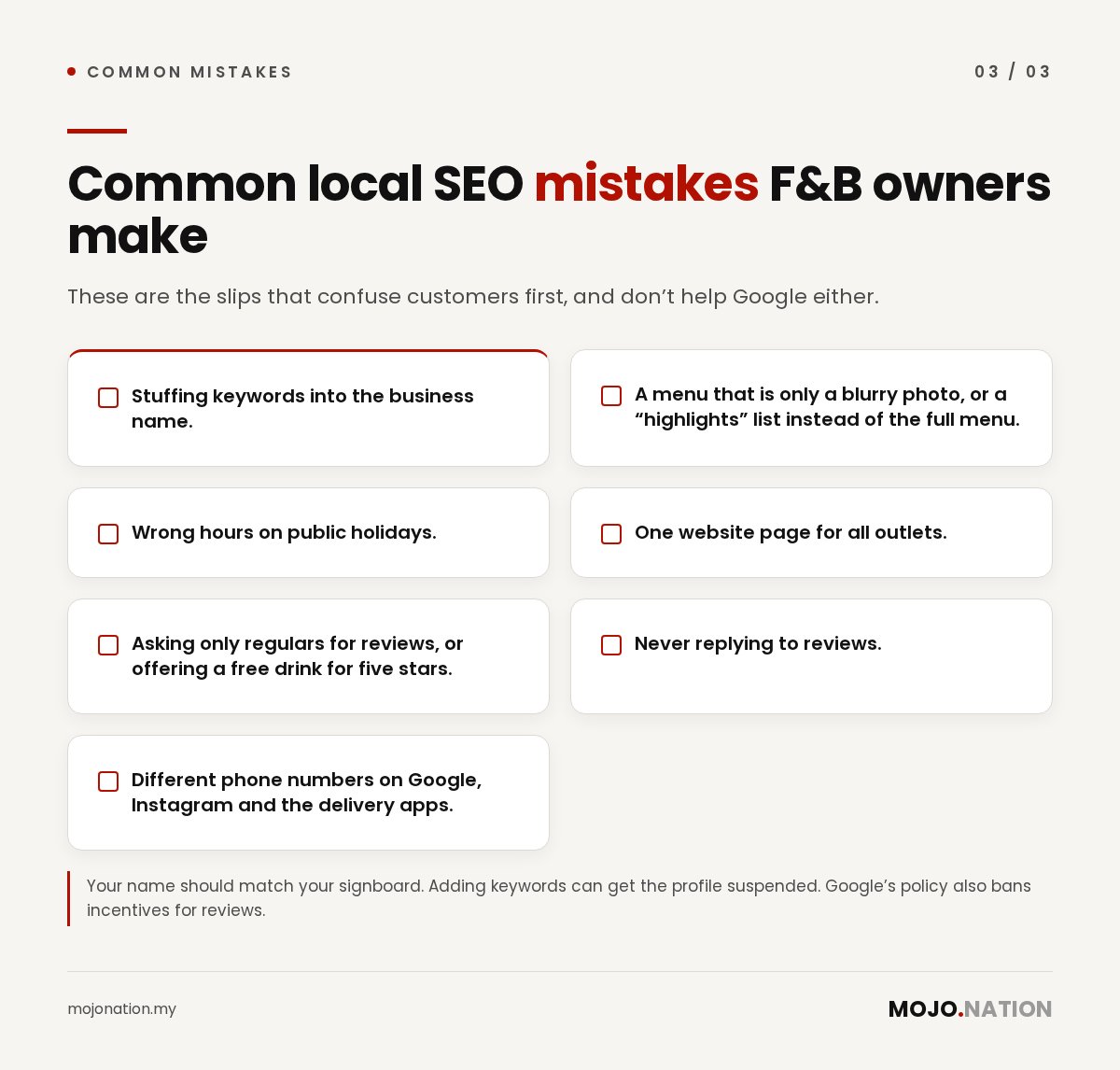
- Stuffing keywords into the business name.
- A menu that is only a blurry photo, or a "highlights" list instead of the full menu.
- Wrong hours on public holidays.
- One website page for all outlets.
- Asking only regulars for reviews, or offering a free drink for five stars.
- Never replying to reviews.
- Different phone numbers on Google, Instagram and the delivery apps.
FAQ
How long does local SEO take for a restaurant?
Fixing your Business Profile, menu and hours can make a difference as soon as Google picks up the changes; Google says menu edits can take 24 to 48 hours to appear. Building reviews and local mentions takes steady work over months. There's no guaranteed timeline, and nobody can pay Google for a higher local ranking.
Do I need a website if I already have a Google Business Profile?
It helps a lot. Your website gives you a proper menu page, a page per outlet and somewhere to add structured data, and Google uses links to your business as part of prominence. A simple, fast site with accurate details is enough to start.
Should I add "near me" to my business name or website?
No. Google's guidelines don't allow keywords in your business name, and writing "near me" everywhere on your site reads badly. Google works out location from where the searcher is. Focus on your real address, area names people use and what you serve.
Can I give a free drink for a Google review?
No. Google's policy doesn't allow incentives such as payment, discounts or free items in exchange for reviews, and such reviews can be removed. Ask every guest politely, with no reward, and make it easy with a QR code.
Does local SEO help with AI search too?
Often, yes. AI features like Google AI Overviews and assistants such as ChatGPT pull from information about your business across the web, so an accurate profile, a readable menu and genuine reviews give them more to work with. Our guide on getting recommended by ChatGPT covers this in more detail.
My restaurant has three outlets. What do I need?
One Business Profile per outlet (each with its own address, hours, phone and photos) and one page per outlet on your website, each linked from its profile. Don't create more than one profile for the same location.
Want help turning this into a plan?
Mojo Nation helps Malaysian F&B businesses get found on Google, Maps and social, from Business Profile clean-ups to menu pages and content people share. If you'd like to know where your cafe or restaurant stands today, start with a free audit. We'll check your profile, website and reviews and tell you what to fix first.
How Mojo Nation writes our guides: we use public guidance from the platforms themselves and our own experience running campaigns for Malaysian businesses. Last updated: 16 November 2026.
Get a free audit
Free review of your social media, website and AI search visibility. No obligation.
More guides
TikTok vs Instagram Reels for Business in Malaysia: Which Should You Use?
Compare audience, content effort and sales fit, then pick which platform to start with, and how to reuse one video on both.
Read →
Year-End Marketing Health Check: 30 Minutes to Prepare Your SME for 2027
A 30-minute year-end marketing check for Malaysian SMEs: website, Google profile, search, AI assistants, social and enquiries, plus 2027 dates.
Read →
TikTok Content Ideas for Cafes and F&B in Malaysia (No Big Budget Needed)
15 TikTok video ideas a cafe or restaurant team can shoot on a phone, with hooks in English and Bahasa Malaysia, plus music and disclosure rules.
Read →
Google Business Profile for Malaysian SMEs: A Complete Setup Checklist
A step-by-step checklist to set up and verify your Google Business Profile: name, categories, hours, photos, reviews and updates.
Read →
Google AI Overviews: What Malaysian Business Owners Need to Know
What AI Overviews are, how Google picks the websites it shows, and six practical steps to become a source it cites.
Read →
11.11 and 12.12 content ideas for Malaysian SMEs
TikTok and Instagram ideas, creator collabs and live timing for cafes, salons and shops, without discounting everything.
Read →
How to work with micro-KOLs in Malaysia: a step-by-step guide for SMEs
Find, brief and work with smaller creators, get disclosure right, and measure what matters. Includes our trial and retainer prices.
Read →
How to get your business recommended by ChatGPT
Practical, honest steps to improve the chances AI assistants like ChatGPT recommend your business.
Read →
SEO vs KOL marketing: why you need both
SEO captures demand; KOLs create it. How combining the two gives Malaysian brands compounding growth.
Read →
What is AI search visibility and why Malaysian SMEs should care
More customers ask ChatGPT, Gemini and Perplexity for recommendations. Here’s what AI search visibility means and how to start.
Read →